
You’re sitting on your couch, remote in hand, staring at your cable bill. It keeps growing every month, but you still miss half the games you want to watch. This is a common problem for sports fans in America.
But there’s good news. Cutting the cord doesn’t mean giving up your favorite teams and live events. Streaming services for live sports have changed the game. They offer more flexibility, lower costs, and better features than traditional cable.
Now, you can watch that crucial NFL matchup, NBA championship, or World Series without a long-term contract. This guide will help you find the best cable TV alternative for live sports in 2026. You’ll learn about services like YouTube TV, Hulu + Live TV, Fubo, and more.
These services are winning over sports fans nationwide. We’ll show you real pricing, coverage details, and features that matter to you. The competition between streaming services is fierce, offering you better deals and more options than ever before.
Whether you’re a football fanatic, basketball lover, or baseball enthusiast, there’s a perfect streaming solution waiting for you.
Key Takeaways
- Streaming services for live sports cost significantly less than traditional cable with no long-term contracts required
- YouTube TV offers 100+ channels and unlimited DVR storage starting at $83 per month
- Hulu + Live TV bundles live sports with Disney+ and ESPN+ for comprehensive coverage
- Fubo specializes in sports content with over 35 regional sports networks at $74 per month
- The best cable TV alternative for live sports 2026 depends on which sports and teams you follow
- Streaming services provide flexibility to watch on multiple devices simultaneously
- Many services offer trial periods so you can test them before committing
Why You Need a Cable TV Alternative for Live Sports
Cutting the cable cord is now a smart move for sports fans. It offers better value and more control over what you watch. The shift from cable to streaming has become reliable and cost-effective.
Streaming services have grown to be real competitors. They provide live games, news, and on-demand content all in one place. This saves money and offers flexibility that cable can’t match.
The Rise of Streaming Services
YouTube TV, Hulu + Live TV, and fuboTV have become top cable replacements. They offer sports coverage that rivals traditional providers. The technology ensures reliable, high-quality broadcasts of live games.
These services give you access to major sports channels and local programming. They’ve removed barriers that made cable the only choice for sports fans.
Cost-Effectiveness Compared to Cable
The cost difference between streaming and cable is huge. Let’s look at what you pay:
| Service Type | Monthly Cost | Equipment Fees | Contracts Required |
|---|---|---|---|
| YouTube TV | $83 | None | No |
| Hulu + Live TV | $90 | None | No |
| Traditional Cable | $100–$150+ | $10–$15/month | Yes (2 years) |
Cable bills often hit $150+ per month. This includes equipment rental, broadcast fees, and regional sports charges. Even the most expensive streaming option is cheaper than mid-tier cable. You avoid contracts and surprise fees.
Flexibility and Convenience
Cord cutting sports options 2026 offer freedoms cable never did. Here’s what you gain:
- Watch on multiple devices at once—your TV, phone, tablet, or computer
- Pause and resume games on different screens throughout your day
- Unlimited cloud DVR storage for your favorite games
- Cancel anytime without penalties or lengthy phone calls
- Sign up online and start streaming within minutes
You control your viewing experience. No installation appointments, no two-year commitments, no retention specialists trying to keep you locked in. Streaming services like fuboTV even offer 10 simultaneous streams at home, giving your entire family access whenever they want to watch.
This flexibility makes cord cutting sports options 2026 perfect for modern sports fans who refuse to be tied down.
Top Features to Look For in Sports Streaming Services
Choosing the right live sports streaming platforms is key. You need to know what features are most important for your viewing experience. When comparing services, focus on three main aspects that impact your enjoyment.

Availability of Major Sports Channels
The channels your streaming service offers are crucial. They determine which games you can watch. You need access to major networks like ESPN, ESPN2, FS1, and FS2 for cable sports.
Don’t overlook the major broadcast networks. ABC, CBS, FOX, and NBC broadcast games for professional leagues. Regional Sports Networks are also important for local team games.
Before signing up, check which channels carry your favorite sports. Different services excel in different leagues. Some might offer great NFL coverage but weak MLB options.
HD Streaming Quality
Picture quality is important for fast-paced sports action. Not all services offer the same resolution. This difference is noticeable during important games.
- YouTube TV streams most content at 1080p quality
- Fubo offers select 4K content for premium events
- Most services limit standard streams to 720p
- YouTube TV provides 4K streaming with their 4K Plus add-on ($9.99/month)
Higher resolution means clearer details during close plays. For sports where every movement counts, this is crucial. You can see player numbers clearly and follow the ball better in high quality.
Multi-Device Compatibility
Your streaming service must work on all your devices. Whether you’re watching on your couch or on the go, you need access across multiple devices.
| Device Type | YouTube TV | Hulu + Live TV | DirecTV |
|---|---|---|---|
| Smart TVs | Yes | Yes | Yes |
| Streaming Devices (Roku, Fire TV, Apple TV) | Yes | Yes | Yes |
| Mobile Apps (iPhone, Android) | Yes | Yes | Yes |
| Game Consoles | Yes | Yes | No |
| Web Browser | Yes | Yes | Yes |
YouTube TV works on almost every device you own. This flexibility lets you watch on your TV and then on your phone. Simultaneous streaming limits vary by service, so check how many screens can play at once. This is important if your family wants to watch different games in different rooms.
Mobile apps are also key. You want smooth navigation and fast load times when streaming live games on your phone. Game console compatibility is great for families who like gaming and then watching sports.
Before choosing your service, carefully check these three features. The best live sports streaming platforms balance channel availability, video quality, and device compatibility to fit your watching habits.
Best Cable TV Alternatives for Live Sports in 2026
Finding the right streaming service for sports can be tough with so many options. The best sports streaming apps 2026 have different strengths and prices. Knowing what each service offers helps you choose the best for your family.
Let’s look at three top streaming services for live games. Each one caters to different sports fans with unique features. Understanding their strengths and weaknesses helps you find the perfect fit for your viewing habits.
Hulu + Live TV
Hulu + Live TV is a top choice by combining three major services. For $90 a month, you get over 95 live channels, Hulu on-demand, and ESPN+. This mix offers more flexibility than traditional cable.
This service has nearly every sports channel you need. ESPN, Fox Sports 1, and more are included. You also get unlimited DVR storage. The main drawback is a cluttered interface and only 2 simultaneous streams without upgrading.
YouTube TV
YouTube TV is the top pick for live games. It costs $83 a month and has a clean interface. You get over 100 channels and unlimited DVR storage for 9 months.
YouTube TV’s special features stand out. You can watch up to four games at once. It also highlights important moments in recorded games. You can stream on 3 devices at once, with an option for unlimited. The only downside is no regional sports networks.
fuboTV
fuboTV is the go-to for serious sports fans. It offers over 210 channels and 35+ regional sports networks. The current price is $74 a month, with a higher regular price.
fuboTV is great for local team coverage. It allows 10 simultaneous home streams. You also get unlimited DVR. The only drawback is losing some NBC Universal channels and no TNT or TBS.
To compare these services, check out CNET’s detailed breakdown of the best live TV streaming services. Your choice depends on the sports you care about and what features you want.
| Service | Monthly Price | Total Channels | Regional Sports Networks | Simultaneous Streams | DVR Storage |
|---|---|---|---|---|---|
| Hulu + Live TV | $90 | 95+ | Limited | 2 (standard) | Unlimited |
| YouTube TV | $83 | 100+ | None | 3 (standard) | Unlimited (9 months) |
| fuboTV | $74 (promotional) | 210+ | 35+ | 10 (home) | Unlimited |
- Hulu + Live TV bundles streaming entertainment with live sports channels
- YouTube TV offers the cleanest interface and special sports viewing features
- fuboTV provides the most comprehensive regional sports network coverage
- All three services include cloud DVR for recording games
- Pricing ranges from $74 to $90 monthly depending on promotional offers
Pricing and Plans of Leading Services
When you’re looking for affordable sports streaming services, the cost is key. The monthly fee can greatly affect your budget. It’s important to know what each service charges and any hidden fees.
Comparing Monthly Subscriptions
Looking at affordable sports streaming services, the initial price is just the start. Each platform has different costs based on what you want to watch.
| Streaming Service | Base Monthly Price | What You Get |
|---|---|---|
| Sling TV | $30–$65 | Budget-friendly option with core channels |
| Fubo | $74–$104 | Sports-focused with extensive coverage |
| YouTube TV | $83 | Comprehensive channel lineup |
| Hulu + Live TV | $90 | Bundle with on-demand content |
| DirecTV | $90–$180 | Premium packages with full sports access |
Your choice depends on your favorite sports. Sling TV is good for saving money. YouTube TV and Hulu + Live TV offer a balance. Fubo is best for sports fans. DirecTV has premium options but costs more. For more info, check out leading IPTV providers.
Hidden Fees to Watch Out For
What you see advertised isn’t always what you pay. Many services add extra charges that surprise you.
- Regional Sports Network fees: Fubo can charge up to $15 extra monthly in certain markets
- Taxes and equipment costs: DirecTV adds taxes and rental fees that increase your bill by 10–20%
- Premium features: Unlimited DVR storage and extra simultaneous streams cost more
- Seasonal surcharges: Some services raise prices during major sporting events
Always read the fine print before signing up. A service might seem cheap but can cost more with all fees included.
Trial Periods and Promotions
You don’t have to commit right away. Most services offer free or discounted trials.
- YouTube TV offers free trials of varying lengths for new subscribers
- Hulu + Live TV provides a 3-day trial so you can test the platform
- Fubo gives you 7 days to explore all their sports content
- Sling TV cuts the first month in half at 50% off and offers $5 day passes
New subscriber discounts can save you $20–$40. These deals let you try services without risk before committing.
Live Sports Coverage: Which Service Reigns Supreme?
Choosing the best streaming service for sports without cable subscription is key. It depends on which channels carry your favorite teams and games. Each streaming platform offers different sports packages. Knowing what each one provides helps you make the right choice.
NFL, NBA, MLB, and NHL Coverage
Major sports leagues need different streaming solutions. For NFL games, you have several options depending on what you want to watch.
- YouTube TV provides exclusive access to NFL Sunday Ticket for out-of-market games
- All major services carry Sunday afternoon games on FOX and CBS
- Sunday night football airs on NBC across most platforms
- Monday Night Football appears on ESPN
NBA fans need access to ESPN, ABC, TNT, and NBC for national broadcasts. Starting in 2025-26, NBC will carry additional games. Baseball requires regional sports networks (RSNs) for most regular season games, making fuboTV the top choice with 35+ RSNs available. ESPN, FOX, and FS1 carry nationally televised MLB games.
Hockey fans face similar challenges. Most NHL games appear on RSNs, though ESPN and TNT broadcast national games. Fubo’s Elite plan includes NHL Network and more coverage options.
International Sports and Events
Soccer fans watching sports without cable subscription can find premier international leagues across multiple platforms.
| Sport | League | Available On |
|---|---|---|
| Soccer | Premier League | Peacock, USA Network |
| Soccer | UEFA Champions League | Paramount+ |
| Soccer | La Liga | ESPN+ |
| Soccer | International Leagues | BeIN Sports (Fubo) |
| Wrestling | WWE | Peacock |
ESPN Unlimited offers 47,000+ live events monthly, including college sports and international competitions. Paramount+ provides access to NWSL women’s soccer plus premium international tournaments.
Local Game Availability
Watching your hometown team often requires regional sports networks. These channels broadcast local regular season games and are essential for dedicated fans.
- FuboTV leads with 35+ RSNs across different markets
- YouTube TV lacks RSN coverage in most areas
- Hulu + Live TV offers limited RSN access depending on location
- DirecTV Stream provides extensive RSN availability
Your zip code determines which RSNs are available. Check your specific market before signing up for any service. Local game availability often becomes the deciding factor for sports without cable subscription options, during regular seasons when regional broadcasts dominate.
User Experience and Interface of Sports Streaming Services
When picking streaming services for live sports, design and ease of use are key. You use these apps daily, so a bad interface can ruin your experience. The top services offer clean designs and smart features to help you find games fast and watch without tech issues.
Navigation and Ease of Use
YouTube TV is known for its easy design. It looks like regular YouTube, so you won’t get lost. Finding and recording games is simple.
Hulu + Live TV mixes live TV with on-demand content in one app. This can confuse you, making it hard to find what you need. Basic tasks seem complicated.
Fubo organizes sports well with clear categories and filters. DirecTV uses a numbered channel system, familiar to cable TV users.
Search Features for Live Games
YouTube TV’s search starts showing results as you type. It highlights live games with a red badge. This makes finding games quick.
Other services require typing your full search before showing results. This wastes time, which is precious when you’re late for a game. YouTube TV also offers “Watch Key Plays” to save you hours by showing only the important moments.
Customer Support and Resources
Good support is crucial when things go wrong. YouTube TV has in-app tools and detailed connection stats to help you fix issues without leaving the app.
- Live chat support for immediate help
- Comprehensive help centers with searchable articles
- Community forums where you can learn from other users
- In-app diagnostic tools to check your connection
- Phone support for complex technical issues
Some services make you leave the app to get help, wasting your time. YouTube TV keeps everything in one place, making support easy to find when you need it.
Compatibility with Smart Devices
Choosing the right live sports streaming platforms means knowing which devices work best for you. You’ll want to see if your smart TV, phone, tablet, or gaming console can access your chosen service. Device compatibility is key to watching games anywhere in your home and on the go.
The best cable TV alternatives offer different levels of device support. Some services work seamlessly across almost every platform you own. Others have limitations that might impact your viewing experience. Let’s explore what you need to know about connecting your favorite live sports streaming platforms to your devices.
Smart TVs and Streaming Devices
Your smart TV is likely your main way to watch games. Most modern televisions from Samsung, LG, Sony, and Vizio support popular live sports streaming platforms through built-in apps. You don’t always need extra equipment.
YouTube TV works on virtually every platform you can imagine. You can watch on smart TVs, Roku devices, Fire TV sticks, Apple TV boxes, and Chromecast. This broad compatibility means you have flexibility no matter what equipment you already own.
Hulu + Live TV is available on most devices, giving you solid options for streaming your favorite games. DirecTV takes a different approach by leasing its proprietary Gemini Air device for $10 per month. This device supports 4K, Dolby Atmos, and HDR10+ technology.
Dedicated streaming devices like Roku and Fire TV often receive software updates faster than smart TV apps. These devices typically perform better during high-traffic sports events when many people stream simultaneously.

Mobile App Functionality
Mobile apps let you watch games anywhere. You can start watching during your commute on your phone and seamlessly continue on your TV when you arrive home. Most live sports streaming platforms offer apps for both iOS and Android devices.
Check what features work on mobile versions. Some services offer full functionality on phones and tablets. Others limit features like multiview or certain camera angles to bigger screens. Data usage matters too—streaming uses significant mobile data, so understand your plan limits.
Ask yourself these questions about mobile streaming:
- Can you watch full games on your smartphone?
- Does the app work smoothly without frequent buffering?
- Can you download games for offline viewing?
- What’s the picture quality on smaller screens?
Game Console Integration
Your PlayStation 5 or Xbox Series X can become an entertainment hub with the right apps. Many live sports streaming platforms offer console apps that turn your gaming device into a sports viewing center.
YouTube TV works on both PlayStation and Xbox. Hulu + Live TV is also available on major gaming consoles. This gives you another screen option beyond your smart TV.
DirecTV lacks game console apps, which could be problematic if your console is your primary entertainment device. This limitation means you’d need a separate streaming device or smart TV to use DirecTV.
| Service | Smart TVs | Streaming Devices | Mobile Apps | Game Consoles |
|---|---|---|---|---|
| YouTube TV | Yes | Roku, Fire TV, Apple TV, Chromecast | iOS & Android | PlayStation & Xbox |
| Hulu + Live TV | Yes | Most devices | iOS & Android | PlayStation & Xbox |
| DirecTV | Limited | Gemini Air ($10/month) | iOS & Android | No apps available |
| fuboTV | Yes | Roku (multiview added Jan 2025) | iOS & Android | PlayStation & Xbox |
Device compatibility shapes your entire viewing experience with live sports streaming platforms. Take time to match your devices with the service that works best across all your screens.
Finding the Best Plan for Your Sports Viewing Habits
Choosing the right streaming service as a cable replacement for sports fans means matching your viewing style to the perfect plan. Think about which sports matter most to you, whether add-ons fit your budget, and how many people in your home watch games at the same time. Let’s walk through each piece so you can make a smart choice.
Assessing Your Favorite Sports and Teams
Start by listing the sports and teams you absolutely must watch. Are you an NFL fan who needs every Sunday game? Do you follow an NBA team in another city? Your must-watch list shapes which streaming service works best for you.
Visit each service’s website and enter your ZIP code into their channel lookup tools. This shows you exactly which local channels and regional sports networks you’ll get. You might discover that a cable replacement for sports fans in your area differs from what works for your friend across the country.
Think about seasons too. You might need full coverage during football season but can downgrade to a cheaper option when baseball takes over. This flexibility lets you save money during off-seasons.
- List your must-watch sports and teams
- Check local channel availability by ZIP code
- Consider seasonal viewing patterns
- Prioritize which leagues matter most
Whether to Opt for Add-Ons
Most streaming services offer sports add-ons that cost extra each month. You need to decide if these upgrades make sense for your viewing habits.
| Service | Add-On Name | Monthly Cost | What’s Included |
|---|---|---|---|
| YouTube TV | 4K Plus | $9.99 | Premium picture quality for major games |
| YouTube TV | Sports Plus | Varies | Premium sports channels |
| Fubo | Sports Plus | $8.00 | NHL Network, NBA TV, MLB Network, SEC, PAC 12, Tennis Channel |
| Sling TV | Sports Extra | $11.00 (Orange/Blue) or $15.00 (Combined) | Additional regional and national sports channels |
Ask yourself: Will these channels give you games you’d miss? Or can you find the same content in your base plan?
For cable replacement for sports fans, a cable replacement for sports fans should calculate the total yearly cost. Sometimes one mid-priced service with an add-on costs less than two separate subscriptions. Other times, skipping add-ons and sticking with your base plan saves money without losing games you care about.
Family Accounts and User Profiles
Your household’s streaming needs matter when picking a service. How many people want to watch different games at the same time?
| Service | Simultaneous Streams Included | Unlimited Streams Cost | Best For |
|---|---|---|---|
| YouTube TV | 3 streams at home | No extra option | Small to medium families |
| Hulu + Live TV | 2 streams standard | $9.99/month extra | Families needing flexibility |
| Fubo | 10 streams at home | Included | Large families or households |
Each service lets you create multiple user profiles. Your kids get their own recommendations. Your spouse gets theirs. Everyone stays happy because the service learns what each person likes to watch.
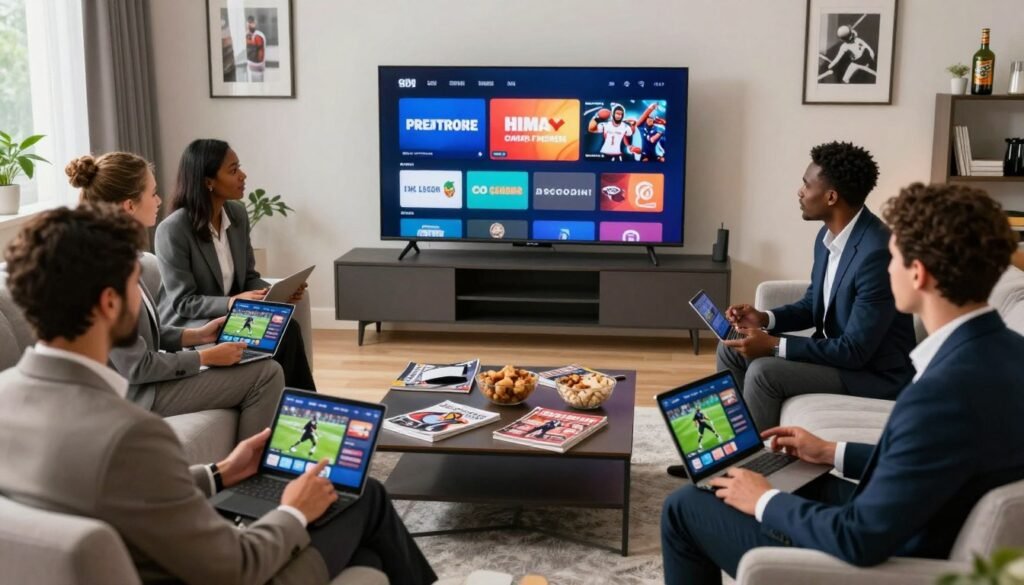
Think about peak viewing times. During playoff games, does your whole family gather to watch one screen? Or does everyone want their own TV? A cable replacement for sports fans with many household members might benefit from Hulu’s $9.99/month unlimited streaming add-on or Fubo’s generous 10 simultaneous streams included in your base plan.
When you match your favorite sports to the right service and add-ons, then consider your family’s viewing style, you’ll find the perfect cable replacement for sports fans that fits your life and your wallet.
Alternatives for Sports Betting and Fantasy Leagues
Looking for the best cable TV alternative for live sports 2026? It’s not just about watching games. You need real-time stats, betting info, and fantasy tools to make smart choices. Streaming services now offer everything you need in one place.
Your favorite streaming platform can connect you with the data and features serious sports fans rely on. Whether you play fantasy leagues or track betting odds, knowing which services work best for your needs matters.
Services Offering Sports Betting Integration
Streaming services don’t let you place bets directly. But they provide tools to make informed decisions. Many platforms show real-time statistics, injury updates, and player performance data that bettors use daily.
When choosing the best cable TV alternative for live sports 2026, look for these features:
- Live odds and betting line displays during broadcasts
- Real-time player statistics and performance metrics
- Injury reports and lineup changes updated throughout games
- Stats overlays showing key plays and game analytics
- Links to licensed sportsbooks available in your state
YouTube TV’s key plays feature gives you instant access to crucial game moments and stats. This helps you spot trends and make better betting decisions while the action unfolds on screen.
Fantasy Sports Platforms and Their Integration
ESPN Unlimited stands out for connecting seamlessly with ESPN Fantasy platforms. You can track your players’ performances in real-time while watching games, making it easy to stay updated on your roster.
The best cable TV alternative for live sports 2026 for fantasy players should include:
| Feature | Benefit for Fantasy Players |
|---|---|
| Unlimited DVR Recording | Record multiple games to review player performances later |
| Multiview Capabilities | Monitor several games where your fantasy players compete simultaneously |
| Mobile App Access | Check your fantasy lineup on your phone while watching games on TV |
| Live Stats Display | See real-time scoring updates for your roster players during broadcasts |
| Injury Alert Integration | Get notifications about player injuries affecting your fantasy team |
These features let you manage your fantasy team without switching between apps or websites constantly.
Legal Considerations for Betting
Understanding the legal landscape keeps you safe and compliant. Sports betting rules differ by state, and you need to know what’s allowed where you live.
Key points about sports betting in the United States:
- Only participate in online sports betting in states where it’s legal
- You must be at least 21 years old to place bets in most states
- Use only licensed and regulated sportsbooks approved by your state
- Never share personal betting information with unlicensed operators
- Access responsible gambling resources through your sportsbook account
Streaming services provide the games and data you need, but betting itself requires separate accounts with licensed sportsbooks. Your streaming platform simply gives you the information to make smarter choices about where and when to bet legally.
“Responsible gambling means knowing your limits and only betting what you can afford to lose.”
When you select the best cable TV alternative for live sports 2026, check which services integrate with fantasy platforms and real-time statistics. This combination creates the ultimate sports experience for serious fans who want complete control over their viewing, fantasy, and betting activities.
Future Trends in Sports Streaming Services
The sports streaming world is changing fast. New tech is making games better than ever. Millions of fans are changing how they watch games. This is making traditional cable networks rethink their business.
Understanding these trends helps you make smart choices about sports streaming in 2026 and beyond.
Technological Innovations to Expect
Streaming services are adding exciting new features. YouTube TV introduced multiview in 2024, letting you watch four games at once. Other services are following this trend because fans love it.
You can expect even more flexible layouts as technology improves.
Picture quality is about to get a lot better. 4K streaming will become standard as internet speeds get faster. Your games will look crisp and clear, almost like being at the stadium.
8K streaming might arrive later, making every detail pop off your screen. Artificial intelligence is being built into apps to create custom highlight packages just for you. You might get predictive overlays showing stats and player info in real time.
Some services could let you pick which camera angle to watch, so you follow your favorite player the entire game.
Virtual and augmented reality features are coming too. Imagine feeling like you are sitting courtside while watching from your couch. These innovations are making sports streaming in 2026 more appealing than cable ever was.
The Shift in Viewer Preferences
Young people are ditching cable completely. They stream everything, including sports. This trend is growing every year.
People want to watch games on their own schedule, not when the network decides. On-demand viewing is becoming just as important as live games. That is why services offer unlimited DVR now.
Mobile viewing is exploding. You want to watch games anywhere you go, not just on your TV. Streaming services are building better apps for phones and tablets.
You expect the same smooth experience you get with Netflix, but for sports. Services that nail this experience will win your loyalty. This shift is driving companies like Disney and ESPN to invest in better interfaces and personalization options.
Implications for Traditional Cable TV Networks
ESPN, FOX Sports, and NBC Sports are facing a tough choice. They still sell content to live TV streaming platforms like Hulu + Live TV and YouTube TV. At the same time, they are launching their own direct services.
ESPN launched ESPN Unlimited as their own streaming option. This creates a confusing ecosystem where content lives in multiple places. You might need several subscriptions to watch all your games.
Contract battles are reshaping the landscape. Fubo lost NBC Universal channels during negotiations, limiting what you can watch there. Leagues are splitting sports rights across many platforms.
The NFL streams Thursday games on Amazon Prime. Netflix is getting Christmas Day games. Peacock carries select contests. This scattered approach means cord cutting sports options 2026 require careful planning.
Traditional cable networks might not survive another decade. Streaming will probably take over completely, which will change how much games cost and which services carry them. Your viewing experience five years from now will look very different from today.
FAQ
What’s the best cable TV alternative for live sports in 2026?
Can I really cut the cord and not miss any sports games?
How much money will I actually save by switching from cable to streaming?
What’s the best cable TV alternative for live sports in 2026?
Can I really cut the cord and not miss any sports games?
How much money will I actually save by switching from cable to streaming?
FAQ
What’s the best cable TV alternative for live sports in 2026?
The best choice depends on your specific needs. YouTube TV is the top option for most sports fans. It has a great interface, lots of channels (100+), unlimited DVR, and lets you watch up to four games at once.
Fubo is best for local team games with 35+ RSNs. Hulu + Live TV is a good value at monthly. It includes Disney+ and ESPN+.
Can I really cut the cord and not miss any sports games?
Yes, you can cut the cord without missing sports games. Services like YouTube TV, Hulu + Live TV, and Fubo cover the NFL, NBA, MLB, NHL, and international sports. Choose the right service for your favorite teams and sports.
For local team games, Fubo or DirecTV stream is best. For national broadcasts, any major streaming service works. Most fans find streaming better than cable.
How much money will I actually save by switching from cable to streaming?
You can save a lot by switching. Cable bills often exceed 0 monthly. Streaming services cost between to monthly, with most options between -.
Even the most expensive streaming service is – cheaper than mid-tier cable. Over a year, you could save 0 to
FAQ
What’s the best cable TV alternative for live sports in 2026?
The best choice depends on your specific needs. YouTube TV is the top option for most sports fans. It has a great interface, lots of channels (100+), unlimited DVR, and lets you watch up to four games at once.
Fubo is best for local team games with 35+ RSNs. Hulu + Live TV is a good value at $90 monthly. It includes Disney+ and ESPN+.
Can I really cut the cord and not miss any sports games?
Yes, you can cut the cord without missing sports games. Services like YouTube TV, Hulu + Live TV, and Fubo cover the NFL, NBA, MLB, NHL, and international sports. Choose the right service for your favorite teams and sports.
For local team games, Fubo or DirecTV stream is best. For national broadcasts, any major streaming service works. Most fans find streaming better than cable.
How much money will I actually save by switching from cable to streaming?
You can save a lot by switching. Cable bills often exceed $150 monthly. Streaming services cost between $30 to $90 monthly, with most options between $74-$90.
Even the most expensive streaming service is $60-$70 cheaper than mid-tier cable. Over a year, you could save $720 to $1,200. You also save on no contracts, no installation fees, and no penalties for canceling.
Which streaming service has the best picture quality for sports?
A: YouTube TV and Fubo offer excellent quality, with most content in 1080p. DirecTV stream supports 4K and Dolby Atmos on their Gemini Air device, making it the best for 4K TVs and premium audio.
YouTube TV offers 4K through its 4K Plus add-on ($9.99 monthly). Hulu + Live TV streams in 1080p on most devices. For fast-paced sports, 1080p is enough, but 4K is sharper on large screens.
Do streaming services have unlimited cloud DVR for recording games?
A: YouTube TV offers unlimited cloud DVR as a standard feature. You can record an unlimited number of games and keep them for nine months. Fubo also includes unlimited DVR at its base price ($74 monthly).
Hulu + Live TV includes 50 hours of DVR storage standard. You can upgrade to unlimited DVR for an additional cost. Sling TV offers 50 hours of DVR storage as a standard feature.
Can I watch games on my phone while traveling?
Yes, all major streaming services offer mobile apps for iOS and Android. You can watch live games on your smartphone or tablet while traveling. Start watching on your phone and continue on your TV with cloud synchronization.
Be aware that watching in HD over cellular data uses about 3 GB of data per hour. Download games for offline viewing or watch over WiFi when possible.
What’s the difference between YouTube TV, Hulu + Live TV, and Fubo for sports?
A: YouTube TV ($83 monthly) excels at user experience with its clean interface and multiview feature. It’s ideal for national sports coverage. Hulu + Live TV ($90 monthly) bundles live TV with Disney+ and ESPN+, perfect for those already subscribed.
Fubo ($74 monthly) specializes in sports, offering 35+ RSNs for local team games. Choose based on ease of use, value, or local team coverage.
Will I lose access to my favorite local sports team’s games with streaming?
It depends on the service. Fubo is best for local team games with 35+ RSNs. DirecTV stream also offers strong RSN coverage. YouTube TV and Hulu + Live TV have limited RSN availability.
Enter your ZIP code on their websites to check local channels and RSNs. If your service doesn’t carry your local RSN, use the sports league’s app or choose a different service.
Can my family share a streaming sports service, or does each person need their own subscription?
You don’t need separate subscriptions, but simultaneous streaming limits vary. YouTube TV allows up to three simultaneous streams. Hulu + Live TV includes two simultaneous streams standard but offers a $9.99 monthly add-on for unlimited.
Fubo allows three simultaneous streams. Most services let you create individual user profiles for personalized recommendations. If you need simultaneous streaming, factor in the cost of add-ons when comparing services.
What’s the difference between a streaming service’s advertised price and what you actually pay monthly?
Advertised prices often don’t reflect your actual bill. Hidden fees can significantly increase your monthly cost. Fubo can add $10-$15 monthly in RSN fees. DirecTV stream adds taxes and service fees that can increase your bill by 10-20%.
Some services charge extra for unlimited DVR, additional simultaneous streams, or 4K viewing. YouTube TV and Hulu + Live TV are more transparent about their base pricing. Always calculate your true monthly cost by checking the service’s website for your specific location.
Should I take advantage of free trials before committing to a streaming service?
Absolutely. YouTube TV offers variable-length trial periods (often 7-14 days). Fubo provides a 7-day free trial. Hulu + Live TV offers a 3-day trial.
These trials let you test the service’s interface, confirm channel availability, verify streaming quality, and evaluate customer support. Enter your ZIP code to check local channels and RSNs. Test the service on all your devices to ensure compatibility. Many services offer first-month promotions and seasonal discounts ($20-40 off) for new subscribers.
Which streaming service offers NFL Sunday Ticket?
A: YouTube TV is the exclusive home of NFL Sunday Ticket. It lets you watch out-of-market NFL games every Sunday during the regular season. This is a major advantage for fans who live in different markets from their favorite NFL teams.
Sunday afternoon games on FOX and CBS, Sunday night games on NBC, and Monday Night Football on ESPN are available on all major streaming services. If out-of-market NFL coverage is essential for you, YouTube TV becomes the clear choice, as no other streaming service offers Sunday Ticket access.
How do I find which specific games will be broadcast on streaming services in my area?
Most streaming services allow you to enter your ZIP code on their websites to see which local channels, RSNs, and broadcast networks you’ll receive in your area. This is the most accurate way to determine if a service carries your local team’s games.
You should also check each league’s official broadcast schedule—the NFL, NBA, MLB, and NHL all publish detailed schedules showing which channel will broadcast each game. YouTube TV, Fubo, and Hulu + Live TV all make it easy to search for specific teams or games within their apps.
Is YouTube TV’s multiview feature really useful for sports fans?
Yes, multiview is incredibly useful—it’s one of YouTube TV’s standout features for sports fans. This feature lets you watch up to four games simultaneously in a customizable layout on your screen.
During NFL Sundays or NBA opening night, you can monitor multiple games at once and switch focus to the one with the most exciting action. You can create custom multiview layouts for your favorite sports combinations. This feature is essential for heavy sports fans who watch multiple games concurrently.
Can I watch streaming sports on my gaming console?
Yes, but it depends on the service and console. YouTube TV, Hulu + Live TV, and Fubo all offer apps for PlayStation and Xbox. This turns your gaming console into an entertainment hub.
This is convenient if you don’t have a smart TV or separate streaming device and use your PlayStation 5 or Xbox Series X for entertainment. DirecTV stream notably lacks console apps, which could be a dealbreaker if your gaming console is your primary television device.
What’s the easiest streaming service interface for finding and recording games?
A: YouTube TV consistently earns praise for its clean, intuitive interface. Its design is similar to regular YouTube, making it immediately familiar. Finding and recording games is straightforward—the interface clearly indicates what’s currently playing live with a red badge.
Search works as you type showing real-time results, and recording is a simple one-click process. Fubo has a sports-focused design with extensive categorization that sports fans appreciate. Hulu + Live TV is less intuitive because it tries to combine on-demand content with live TV in a single app, sometimes making simple tasks unnecessarily complicated.
Are there additional channels or add-ons I should consider for comprehensive sports coverage?
Whether add-ons are worth it depends on your viewing habits. YouTube TV’s 4K Plus ($9.99 monthly) makes sense if you have a 4K television and want premium picture quality for marquee sporting events. Fubo’s Sports Plus add-on provides access to NBA TV, NHL Network, and MLB Network, essential for additional national game broadcasts.
ESPN+ ($10.99 monthly standalone, included with Hulu + Live TV) offers exclusive MLS games, some NBA games, and extensive sports content. Peacock Premium ($5.99-$11.99 monthly) carries Premier League soccer and exclusive sporting events. Consider whether a different base service might better suit your needs or if bundled services provide better value than separate subscriptions.
How important is customer support when choosing a sports streaming service?
Customer support quality matters more than many people realize. You want assistance available when games are about to start and you’re having technical issues. YouTube TV offers in-app feedback submission and provides detailed connection stats to help troubleshoot streaming problems, often resolving issues without leaving the app.
Most major services offer live chat support and comprehensive help centers. Check if your preferred service offers phone support in addition to chat and email—this becomes valuable if you have complex issues. Read customer reviews mentioning support responsiveness during peak sports viewing times (weekends and evenings when most games happen). Poor support during critical game times can ruin your viewing experience, so services with responsive, accessible support are worth prioritizing.
Which streaming service works best with older smart TVs that don’t have built-in streaming apps?
If your smart TV lacks built-in streaming apps, you’ll need a dedicated streaming device. YouTube TV offers the broadest device compatibility, working seamlessly with Roku, Amazon Fire TV Stick, Apple TV, Google Chromecast, and older smart TVs through these devices. Fubo and Hulu + Live TV also support these major platforms.
DirecTV stream requires their proprietary Gemini Air device ($10 monthly rental), which is expensive compared to buying a Roku or Fire TV device outright. For older TVs without native streaming apps, purchasing an inexpensive Roku Express or Fire TV Stick 4K (typically $20-$40) is more economical than paying DirecTV’s monthly device fee.
What should I know about streaming sports betting integration?
While most streaming services themselves don’t offer betting, they’re increasingly providing features that support sports betting. YouTube TV’s stats overlay and Fubo’s FanView (when available) give you real-time statistics, player information, and injury updates that serious bettors use to make informed decisions.
Some services display live odds or betting lines during broadcasts. Streaming services don’t replace dedicated sportsbooks—you’ll need separate accounts with licensed betting platforms like DraftKings, FanDuel, BetMGM, or Caesars Sportsbook (all legal in most states as of 2026). Sports betting is legal in most but not all states, and varies by state regarding which sportsbooks operate. Check your state’s gaming commission website to confirm which platforms are legal where you live and ensure responsible gambling practices.
How do streaming services integrate with fantasy sports leagues?
A: ESPN Unlimited’s integration with ESPN Fantasy makes tracking your players’ performances easy while watching games live. Unlimited DVR features on YouTube TV and Fubo let you record multiple games simultaneously so you can review performances of players on your fantasy roster at your convenience.
Multiview features on YouTube TV are valuable for fantasy fans—you can monitor several games where your fantasy players are competing simultaneously. Most streaming service mobile apps let you check your fantasy lineup on your phone while watching the main game on your TV. This allows you to track your team’s scoring in real-time and make substitutions if needed during game action.
,200. You also save on no contracts, no installation fees, and no penalties for canceling.
Which streaming service has the best picture quality for sports?
A: YouTube TV and Fubo offer excellent quality, with most content in 1080p. DirecTV stream supports 4K and Dolby Atmos on their Gemini Air device, making it the best for 4K TVs and premium audio.
YouTube TV offers 4K through its 4K Plus add-on (.99 monthly). Hulu + Live TV streams in 1080p on most devices. For fast-paced sports, 1080p is enough, but 4K is sharper on large screens.
Do streaming services have unlimited cloud DVR for recording games?
A: YouTube TV offers unlimited cloud DVR as a standard feature. You can record an unlimited number of games and keep them for nine months. Fubo also includes unlimited DVR at its base price ( monthly).
Hulu + Live TV includes 50 hours of DVR storage standard. You can upgrade to unlimited DVR for an additional cost. Sling TV offers 50 hours of DVR storage as a standard feature.
Can I watch games on my phone while traveling?
Yes, all major streaming services offer mobile apps for iOS and Android. You can watch live games on your smartphone or tablet while traveling. Start watching on your phone and continue on your TV with cloud synchronization.
Be aware that watching in HD over cellular data uses about 3 GB of data per hour. Download games for offline viewing or watch over WiFi when possible.
What’s the difference between YouTube TV, Hulu + Live TV, and Fubo for sports?
A: YouTube TV ( monthly) excels at user experience with its clean interface and multiview feature. It’s ideal for national sports coverage. Hulu + Live TV ( monthly) bundles live TV with Disney+ and ESPN+, perfect for those already subscribed.
Fubo ( monthly) specializes in sports, offering 35+ RSNs for local team games. Choose based on ease of use, value, or local team coverage.
Will I lose access to my favorite local sports team’s games with streaming?
It depends on the service. Fubo is best for local team games with 35+ RSNs. DirecTV stream also offers strong RSN coverage. YouTube TV and Hulu + Live TV have limited RSN availability.
Enter your ZIP code on their websites to check local channels and RSNs. If your service doesn’t carry your local RSN, use the sports league’s app or choose a different service.
Can my family share a streaming sports service, or does each person need their own subscription?
You don’t need separate subscriptions, but simultaneous streaming limits vary. YouTube TV allows up to three simultaneous streams. Hulu + Live TV includes two simultaneous streams standard but offers a .99 monthly add-on for unlimited.
Fubo allows three simultaneous streams. Most services let you create individual user profiles for personalized recommendations. If you need simultaneous streaming, factor in the cost of add-ons when comparing services.
What’s the difference between a streaming service’s advertised price and what you actually pay monthly?
Advertised prices often don’t reflect your actual bill. Hidden fees can significantly increase your monthly cost. Fubo can add – monthly in RSN fees. DirecTV stream adds taxes and service fees that can increase your bill by 10-20%.
Some services charge extra for unlimited DVR, additional simultaneous streams, or 4K viewing. YouTube TV and Hulu + Live TV are more transparent about their base pricing. Always calculate your true monthly cost by checking the service’s website for your specific location.
Should I take advantage of free trials before committing to a streaming service?
Absolutely. YouTube TV offers variable-length trial periods (often 7-14 days). Fubo provides a 7-day free trial. Hulu + Live TV offers a 3-day trial.
These trials let you test the service’s interface, confirm channel availability, verify streaming quality, and evaluate customer support. Enter your ZIP code to check local channels and RSNs. Test the service on all your devices to ensure compatibility. Many services offer first-month promotions and seasonal discounts (-40 off) for new subscribers.
Which streaming service offers NFL Sunday Ticket?
A: YouTube TV is the exclusive home of NFL Sunday Ticket. It lets you watch out-of-market NFL games every Sunday during the regular season. This is a major advantage for fans who live in different markets from their favorite NFL teams.
Sunday afternoon games on FOX and CBS, Sunday night games on NBC, and Monday Night Football on ESPN are available on all major streaming services. If out-of-market NFL coverage is essential for you, YouTube TV becomes the clear choice, as no other streaming service offers Sunday Ticket access.
How do I find which specific games will be broadcast on streaming services in my area?
Most streaming services allow you to enter your ZIP code on their websites to see which local channels, RSNs, and broadcast networks you’ll receive in your area. This is the most accurate way to determine if a service carries your local team’s games.
You should also check each league’s official broadcast schedule—the NFL, NBA, MLB, and NHL all publish detailed schedules showing which channel will broadcast each game. YouTube TV, Fubo, and Hulu + Live TV all make it easy to search for specific teams or games within their apps.
Is YouTube TV’s multiview feature really useful for sports fans?
Yes, multiview is incredibly useful—it’s one of YouTube TV’s standout features for sports fans. This feature lets you watch up to four games simultaneously in a customizable layout on your screen.
During NFL Sundays or NBA opening night, you can monitor multiple games at once and switch focus to the one with the most exciting action. You can create custom multiview layouts for your favorite sports combinations. This feature is essential for heavy sports fans who watch multiple games concurrently.
Can I watch streaming sports on my gaming console?
Yes, but it depends on the service and console. YouTube TV, Hulu + Live TV, and Fubo all offer apps for PlayStation and Xbox. This turns your gaming console into an entertainment hub.
This is convenient if you don’t have a smart TV or separate streaming device and use your PlayStation 5 or Xbox Series X for entertainment. DirecTV stream notably lacks console apps, which could be a dealbreaker if your gaming console is your primary television device.
What’s the easiest streaming service interface for finding and recording games?
A: YouTube TV consistently earns praise for its clean, intuitive interface. Its design is similar to regular YouTube, making it immediately familiar. Finding and recording games is straightforward—the interface clearly indicates what’s currently playing live with a red badge.
Search works as you type showing real-time results, and recording is a simple one-click process. Fubo has a sports-focused design with extensive categorization that sports fans appreciate. Hulu + Live TV is less intuitive because it tries to combine on-demand content with live TV in a single app, sometimes making simple tasks unnecessarily complicated.
Are there additional channels or add-ons I should consider for comprehensive sports coverage?
Whether add-ons are worth it depends on your viewing habits. YouTube TV’s 4K Plus (.99 monthly) makes sense if you have a 4K television and want premium picture quality for marquee sporting events. Fubo’s Sports Plus add-on provides access to NBA TV, NHL Network, and MLB Network, essential for additional national game broadcasts.
ESPN+ (.99 monthly standalone, included with Hulu + Live TV) offers exclusive MLS games, some NBA games, and extensive sports content. Peacock Premium (.99-.99 monthly) carries Premier League soccer and exclusive sporting events. Consider whether a different base service might better suit your needs or if bundled services provide better value than separate subscriptions.
How important is customer support when choosing a sports streaming service?
Customer support quality matters more than many people realize. You want assistance available when games are about to start and you’re having technical issues. YouTube TV offers in-app feedback submission and provides detailed connection stats to help troubleshoot streaming problems, often resolving issues without leaving the app.
Most major services offer live chat support and comprehensive help centers. Check if your preferred service offers phone support in addition to chat and email—this becomes valuable if you have complex issues. Read customer reviews mentioning support responsiveness during peak sports viewing times (weekends and evenings when most games happen). Poor support during critical game times can ruin your viewing experience, so services with responsive, accessible support are worth prioritizing.
Which streaming service works best with older smart TVs that don’t have built-in streaming apps?
If your smart TV lacks built-in streaming apps, you’ll need a dedicated streaming device. YouTube TV offers the broadest device compatibility, working seamlessly with Roku, Amazon Fire TV Stick, Apple TV, Google Chromecast, and older smart TVs through these devices. Fubo and Hulu + Live TV also support these major platforms.
DirecTV stream requires their proprietary Gemini Air device ( monthly rental), which is expensive compared to buying a Roku or Fire TV device outright. For older TVs without native streaming apps, purchasing an inexpensive Roku Express or Fire TV Stick 4K (typically -) is more economical than paying DirecTV’s monthly device fee.
What should I know about streaming sports betting integration?
While most streaming services themselves don’t offer betting, they’re increasingly providing features that support sports betting. YouTube TV’s stats overlay and Fubo’s FanView (when available) give you real-time statistics, player information, and injury updates that serious bettors use to make informed decisions.
Some services display live odds or betting lines during broadcasts. Streaming services don’t replace dedicated sportsbooks—you’ll need separate accounts with licensed betting platforms like DraftKings, FanDuel, BetMGM, or Caesars Sportsbook (all legal in most states as of 2026). Sports betting is legal in most but not all states, and varies by state regarding which sportsbooks operate. Check your state’s gaming commission website to confirm which platforms are legal where you live and ensure responsible gambling practices.
How do streaming services integrate with fantasy sports leagues?
A: ESPN Unlimited’s integration with ESPN Fantasy makes tracking your players’ performances easy while watching games live. Unlimited DVR features on YouTube TV and Fubo let you record multiple games simultaneously so you can review performances of players on your fantasy roster at your convenience.
Multiview features on YouTube TV are valuable for fantasy fans—you can monitor several games where your fantasy players are competing simultaneously. Most streaming service mobile apps let you check your fantasy lineup on your phone while watching the main game on your TV. This allows you to track your team’s scoring in real-time and make substitutions if needed during game action.



